Complete Guide to Porting the PANNs Audio Classification Model to the RK3588 Platform
- 04 Apr, 2026
In the previous article Summary of Pre-Research Information on the PANNs Audio Classification Model, I summarized information about the PANNs audio classification model and conducted some preliminary tests on the PC side.
The article Training Workflow of the PANNs Speech Classification Model Based on the ESC-50 Dataset recorded the complete workflow of training the ESC-50 dataset using the CNN14 architecture of the PANNs model.
This article takes a further step by porting the model trained on the ESC-50 dataset in the previous stage to the Rockchip RK3588 platform and performing on-board inference via Python scripts using Rockchip’s rknn-toolkit-lite2 tool.
Exporting the Model to an ONNX File
Following the model training workflow described in Training Workflow of the PANNs Speech Classification Model Based on the ESC-50 Dataset, we obtain the trained model file cnn14_esc50_best.pth using the ESC-50 dataset.
Next, invoke the following script to export this model file into ONNX format, generating cnn14_esc50_rk3588.onnx.
💡 > The PANNs model actually converts audio data into a spectrogram first, and then performs classification training based on a labeling-aware CNN network. For such models, the initial audio-to-spectrogram conversion part is not well-suited for NPU execution. Therefore, a reasonable approach is: once the audio data is collected, compute the audio-to-spectrogram conversion on the CPU, and then feed the spectrogram into the NPU for CNN classification and recognition. In this case, the model adapted to the NPU should only contain the CNN network part, excluding the preceding spectrogram calculation part. The spectrogram fed into the CNN network for recognition should be generated from 1 second of audio data (corresponding to 101 audio frames), with a Mel scale range of 64, resulting in a spectrogram resolution of 101x64.
import torch
import torch.nn as nn
import os
import sys

# Path configuration
script_dir = os.path.dirname(os.path.abspath(__file__))
project_root = os.path.dirname(script_dir)
sys.path.append(os.path.join(project_root, 'pytorch'))
from models import Cnn14

def export_cnn14_onnx(pth_path, onnx_path):
    # 1. Initialize and load model
    print("Loading model...")
    model = Cnn14(sample_rate=32000, window_size=1024,
                  hop_size=320, mel_bins=64, fmin=50, fmax=14000,
                  classes_num=50)

    checkpoint = torch.load(pth_path, map_location='cpu')
    model.load_state_dict(checkpoint['model'])
    model.eval()
    print("Model loaded successfully!")

    # 2. Define the true inference wrapper class - perfectly matches the forward logic of the original model
    class Cnn14Backbone(nn.Module):
        def __init__(self, base_model):
            super().__init__()
            # Copy all required layers
            self.bn0 = base_model.bn0
            self.conv_block1 = base_model.conv_block1
            self.conv_block2 = base_model.conv_block2
            self.conv_block3 = base_model.conv_block3
            self.conv_block4 = base_model.conv_block4
            self.conv_block5 = base_model.conv_block5
            self.conv_block6 = base_model.conv_block6
            self.fc1 = base_model.fc1
            self.fc_audioset = base_model.fc_audioset

        def forward(self, x):
            """
            Input x: [Batch, 1, Time, Mel] = [1, 1, 101, 64]
            This is the output format after logmel_extractor
            """
            # Completely replicate the processing logic of the original model
            # x = x.transpose(1, 3)  # [1, 64, 101, 1] - (batch, mel, time, 1)
            # x = self.bn0(x)        # bn on (batch, mel, time, 1)
            # x = x.transpose(1, 3)  # [1, 1, 101, 64] - (batch, 1, time, mel)

            # The transpose logic above is equivalent to performing bn0 on the last dimension
            # because bn0 is performed on the channel dimension (mel_bins=64)
            # Input x is (batch, 1, time, mel), and bn needs to be applied on the mel dimension
            # Therefore, after x.transpose(1,3), it becomes (batch, mel, time, 1), and bn0 input channels is 64

            x = x.transpose(1, 3)  # (batch, mel_bins, time, 1)
            x = self.bn0(x)
            x = x.transpose(1, 3)  # (batch, 1, time, mel_bins)

            # CNN feature extraction
            x = self.conv_block1(x, pool_size=(2, 2), pool_type='avg')
            x = self.conv_block2(x, pool_size=(2, 2), pool_type='avg')
            x = self.conv_block3(x, pool_size=(2, 2), pool_type='avg')
            x = self.conv_block4(x, pool_size=(2, 2), pool_type='avg')
            x = self.conv_block5(x, pool_size=(2, 2), pool_type='avg')
            x = self.conv_block6(x, pool_size=(1, 1), pool_type='avg')

            # Aggregation logic - completely matches the original model
            x = torch.mean(x, dim=3)  # (batch, channels, time)
            (x1, _) = torch.max(x, dim=2)  # (batch, channels)
            x2 = torch.mean(x, dim=2)      # (batch, channels)
            x = x1 + x2

            x = torch.nn.functional.relu_(self.fc1(x))
            clipwise_output = torch.sigmoid(self.fc_audioset(x))

            return clipwise_output

    # Wrap
    infer_model = Cnn14Backbone(model)
    infer_model.eval()

    # 3. Prepare Dummy Input [Batch, Channel, Time, Mel]
    # Note: This is the format after logmel_extractor
    dummy_input = torch.randn(1, 1, 101, 64)

    # 4. Execute export
    print("Exporting ONNX...")
    with torch.no_grad():
        torch.onnx.export(
            infer_model,
            dummy_input,
            onnx_path,
            export_params=True,
            opset_version=12,
            do_constant_folding=True,
            input_names=['mel_spectrogram'],
            output_names=['predictions'],
            dynamic_axes={'mel_spectrogram': {0: 'batch_size', 2: 'time_steps'},
                          'predictions': {0: 'batch_size'}},
            dynamo=False
        )
    print(f"✅ Successfully exported: {onnx_path}")

    # 5. Verify the export result
    print("\nVerifying export results...")
    import onnxruntime as ort
    session = ort.InferenceSession(onnx_path, providers=['CPUExecutionProvider'])

    # Test using the same dummy_input
    input_name = session.get_inputs()[0].name
    output_name = session.get_outputs()[0].name
    onnx_output = session.run([output_name], {input_name: dummy_input.numpy()})[0]

    # PyTorch inference
    pytorch_output = infer_model(dummy_input).detach().numpy()

    # Compare results
    diff = np.abs(onnx_output - pytorch_output).max()
    print(f"Max difference between PyTorch and ONNX outputs: {diff:.8f}")

    if diff < 1e-5:
        print("✅ Verification passed! PyTorch and ONNX outputs are consistent")
    else:
        print(f"⚠️ Warning: Large output difference, inspection may be required")
        print(f"PyTorch output top 5: {pytorch_output[0][:5]}")
        print(f"ONNX output top 5: {onnx_output[0][:5]}")

# Execute
if __name__ == "__main__":
    import numpy as np
    export_cnn14_onnx(
        pth_path=os.path.join(project_root, '_my_research/checkpoints/cnn14_esc50_best.pth'),
        onnx_path=os.path.join(project_root, '_my_research/checkpoints/cnn14_esc50_rk3588.onnx')
    )
Preparing Calibration Files for Model Conversion
During the model conversion process, 20 audio files need to be extracted from the previous training set (i.e., the ESC-50 dataset) to serve as the calibration dataset during model conversion.
Randomly select 20 audio files from the ESC-50 dataset, place them into the dataset_ecs50 subdirectory, and then use a text file named dataset_ecs50.txt to record the path names of all calibration audio files:
./dataset_ecs50/1-12653-A-15.wav
./dataset_ecs50/1-13571-A-46.wav
./dataset_ecs50/1-7456-A-13.wav
./dataset_ecs50/1-137-A-32.wav
./dataset_ecs50/1-1791-A-26.wav
./dataset_ecs50/1-7057-A-12.wav
./dataset_ecs50/1-7974-A-49.wav
./dataset_ecs50/1-12654-A-15.wav
./dataset_ecs50/1-7973-A-7.wav
./dataset_ecs50/1-12654-B-15.wav
./dataset_ecs50/1-9887-A-49.wav
./dataset_ecs50/1-13572-A-46.wav
./dataset_ecs50/1-7974-B-49.wav
./dataset_ecs50/1-9887-B-49.wav
./dataset_ecs50/1-4211-A-12.wav
./dataset_ecs50/1-11687-A-47.wav
./dataset_ecs50/1-9841-A-13.wav
./dataset_ecs50/1-5996-A-6.wav
./dataset_ecs50/1-9886-A-49.wav
./dataset_ecs50/1-977-A-39.wav
Use the following script to convert the calibration audio files into .npy format, save them in the dataset_ecs50_npy directory, and automatically update dataset_ecs50.txt with the path names of the generated .npy files. This is because subsequent model conversion steps require .npy format audio files for calibration:
import os

wav_dir = './dataset_ecs50'
npy_dir = './dataset_ecs50_npy'
if not os.path.exists(npy_dir):
    os.makedirs(npy_dir)

# Create list file for RKNN quantization
with open('dataset_ecs50.txt', 'w') as f:
    for file in os.listdir(wav_dir):
        if file.endswith('.wav'):
            wav_path = os.path.join(wav_dir, file)

            # 1. Load and resample audio
            wav, _ = librosa.load(wav_path, sr=32000)

            # 2. Normalize length (assuming dummy_input has 101 frames during ONNX export, corresponding to ~1 second)
            # Note: The length here must ensure that the generated Mel spectrogram's Time dimension matches the ONNX dummy_input
            target_len = 32000
            if len(wav) < target_len:
                wav = np.pad(wav, (0, target_len - len(wav)), mode='constant')
            else:
                wav = wav[:target_len]

            # 3. Calculate Log-Mel spectrogram (must be fully aligned with training and ONNX inference)
            mel_spec = librosa.feature.melspectrogram(
                y=wav, sr=32000, n_fft=1024, hop_length=320,
                n_mels=64, fmin=50, fmax=14000, center=True, pad_mode='reflect'
            )
            log_mel = librosa.power_to_db(mel_spec, ref=1.0, amin=1e-10, top_db=None)

            # 4. Transform dimensions to [1, 1, Time, Freq] -> [1, 1, 101, 64]
            # The shape here must be identical to your ONNX input!
            input_data = log_mel.T[np.newaxis, np.newaxis, ...].astype(np.float32)

            # 5. Save as npy
            npy_name = file.replace('.wav', '.npy')
            npy_path = os.path.abspath(os.path.join(npy_dir, npy_name))
            np.save(npy_path, input_data)

            # 6. Write to txt (absolute paths are recommended to prevent rknn-toolkit2 from missing files)
            f.write(f'{npy_path}\n')

print(f"✅ Correction complete! Generated data shape: {input_data.shape}")
At this point, the calibration files for model conversion are ready:
dataset_ecs50_npy: Contains.npyformat files for all 20 audio calibration samples.dataset_ecs50.txt: Contains the path names of all.npycalibration files.
Model Conversion
Execute the following code to convert the ONNX model exported from the PC into an RKNN model that can run on the RK3588. Once the conversion is complete, the edge model file cnn14_esc50.rknn is generated.
import os
from rknn.api import RKNN

CUR_DIR = os.path.dirname(os.path.abspath(__file__))
MODEL_PATH = os.path.join(CUR_DIR, 'cnn14_esc50_rk3588.onnx')
RKNN_PATH = os.path.join(CUR_DIR, 'cnn14_esc50_rk3588.rknn')
DATASET_PATH = os.path.join(CUR_DIR, 'dataset_ecs50.txt')

def convert():
    rknn = RKNN(verbose=True)

    # 1. Configure model parameters
    rknn.config(
        target_platform='rk3588',
        optimization_level=3,
        quantized_dtype='w8a8',
        quantized_algorithm='normal'
    )

    # 2. Load ONNX model
    print('--> Loading model')
    ret = rknn.load_onnx(
            model=MODEL_PATH,
            inputs=['mel_spectrogram'],
            input_size_list=[[1, 1, 101, 64]]
    )
    if ret != 0:
        print('Load model failed!')
        return

    # 3. Build model (quantization phase)
    print('--> Building model')
    if not os.path.exists(DATASET_PATH):
        print(f'ERROR: Dataset file {DATASET_PATH} not found!')
        return

    ret = rknn.build(do_quantization=True, dataset=DATASET_PATH)
    if ret != 0:
        print('Build model failed!')
        return

    # 4. Export RKNN model
    print('--> Exporting rknn model')
    ret = rknn.export_rknn(RKNN_PATH)
    if ret != 0:
        print('Export rknn failed!')
        return

    # 5. Accuracy analysis (corrected input method)
    print('--> Accuracy analysis')
    # Read the first few lines from txt as input for accuracy analysis
    with open(DATASET_PATH, 'r') as f:
        # It is recommended to run accuracy_analysis on only 1-3 samples, otherwise it will take a very long time
        test_files = [line.strip() for line in f.readlines()[:3]]

    if test_files:
        # Note: Pass the list test_files here, not the DATASET_PATH string
        rknn.accuracy_analysis(inputs=test_files, output_dir=os.path.join(CUR_DIR, 'snapshot'))
    else:
        print("Warning: No files found for accuracy analysis.")

    print('--> All Done!')
    rknn.release()

if __name__ == '__main__':
    convert()
Installing the rknn-toolkit-lite2 Environment on the Board
The system running on my RK3588 is Debian, which already includes a basic Python 3.12 environment. To perform on-board inference using Python with rknn-toolkit-lite2, you need to install the rknn-toolkit-lite2 environment on the board.
First, check the Python version on the RK3588 board, and locate the corresponding rknn-toolkit-lite2 board-side installation package in the rknn-toolkit2-master/rknn-toolkit-lite2/packages directory. Since my on-board Python environment is 3.12.4, the installation package to choose here is rknn_toolkit_lite2-2.3.2-cp312-cp312-manylinux_2_17_aarch64.manylinux2014_aarch64.whl.
Use the following commands to install the rknn-toolkit-lite2 board environment support package along with the Python packages numpy and librosa required for inference code.
pip3 install numpy librosa --break-system-packages
pip3 install rknn_toolkit_lite2-2.3.2-cp311-cp311-manylinux_2_17_aarch64.manylinux2014_aarch64.whl --break-system-packages
Why add the --break-system-packages option?
Because the Debian system running on the board introduces the PEP 668 specification. To prevent packages installed directly via pip from conflicting with the system’s built-in apt package manager and causing system crashes, the global Python environment is locked. Otherwise, the following error will be reported, and the system recommends installing Python packages within an independent virtual environment.
cat@lubancat:~/panns$ pip3 install numpy
error: externally-managed-environment

× This environment is externally managed
╰─> To install Python packages system-wide, try apt install
    python3-xyz, where xyz is the package you are trying to
    install.

    If you wish to install a non-Debian-packaged Python package,
    create a virtual environment using python3 -m venv path/to/venv.
    Then use path/to/venv/bin/python and path/to/venv/bin/pip. Make
    sure you have python3-full installed.

    If you wish to install a non-Debian packaged Python application,
    it may be easiest to use pipx install xyz, which will manage a
    virtual environment for you. Make sure you have pipx installed.

    See /usr/share/doc/python3.11/README.venv for more information.

note: If you believe this is a mistake, please contact your Python installation or OS distribution provider. You can override this, at the risk of breaking your Python installation or OS, by passing --break-system-packages.
hint: See PEP 668 for the detailed specification.
However, since this is just for testing purposes, there is no need to bother setting up a virtual environment; you can simply use the --break-system-packages option to bypass the error above.
On-Board Inference
At this point, both the on-board rknn-toolkit-lite2 environment and the on-board model (cnn14_esc50.rknn) are ready. Next, write a piece of on-board inference code based on rknn-toolkit-lite2 for testing:
💡 Note here: Since the WAV files in the ESC-50 dataset have a length of 5 seconds, while the default model input is a spectrogram of a 1-second audio file, when performing inference on WAV files from the ESC-50 dataset on the board, you need to use a sliding window approach (with a sliding overlap time of 0.5 seconds) to split the 5-second WAV file into multiple 1-second audio segments. Then, compute the spectrogram for each 1-second audio segment, run inference to get the results, and finally merge all results to obtain the final recognition output.
import numpy as np
import librosa
import argparse
import os
from rknnlite.api import RKNNLite

MODEL_PATH = './cnn14_esc50_rk3588.rknn'
SAMPLE_RATE = 32000
WINDOW_SIZE = 32000  # 1 second
HOP_SIZE = 16000    # 0.5 second overlap (Stride) to improve capture probability

def preprocess_chunks(audio_path):
    """Slice long audio into multiple 1s segments"""
    wav, _ = librosa.load(audio_path, sr=SAMPLE_RATE)

    # Pad if audio is shorter than 1s
    if len(wav) < WINDOW_SIZE:
        wav = np.pad(wav, (0, WINDOW_SIZE - len(wav)), mode='constant')

    chunks = []
    # Sliding window slicing
    for start in range(0, len(wav) - WINDOW_SIZE + 1, HOP_SIZE):
        chunk = wav[start : start + WINDOW_SIZE]

        # Calculate Log-Mel
        mel_spec = librosa.feature.melspectrogram(
            y=chunk, sr=SAMPLE_RATE, n_fft=1024, hop_length=320,
            n_mels=64, fmin=50, fmax=14000, center=True, pad_mode='reflect'
        )
        log_mel = librosa.power_to_db(mel_spec, ref=1.0, amin=1e-10, top_db=None)
        input_data = log_mel.T[np.newaxis, np.newaxis, ...].astype(np.float32)
        chunks.append(input_data)

    return chunks

def main():
    parser = argparse.ArgumentParser()
    parser.add_argument('--audio', type=str, required=True)
    args = parser.parse_args()

    rknn_lite = RKNNLite()
    if rknn_lite.load_rknn(MODEL_PATH) != 0 or rknn_lite.init_runtime() != 0:
        print("Initialization failed"); return

    print(f'--> Analyzing long audio: {args.audio}')
    chunks = preprocess_chunks(args.audio)

    all_probs = []
    print(f'--> Sliced into {len(chunks)} segments for NPU inference...')

    for chunk in chunks:
        outputs = rknn_lite.inference(inputs=[chunk])
        all_probs.append(outputs[0][0]) # Get the 50-dimensional probabilities for each segment

    # --- Aggregation Strategy ---
    # Strategy: Average the probabilities across all windows to integrate features from the entire audio clip
    final_probs = np.mean(all_probs, axis=0)

    class_id = np.argmax(final_probs)
    confidence = final_probs[class_id]

    print("\n" + "="*40)
    print(f"Final Detection Result (5s Comprehensive Determination):")
    print(f"  Predicted Class: {class_id}")
    print(f"  Comprehensive Confidence: {confidence:.4f}")
    print("="*40 + "\n")

    rknn_lite.release()

if __name__ == '__main__':
    main()
The inference result of the above code on the audio file 1-977-A-39.wav is as follows:
cat@lubancat:~/install/rk3588_linux_aarch64/rknn_pavel_panns_demo$ ./rknn_panns_demo model/cnn14_esc50_rk3588.rknn dataset_ecs50/1-977-A-39.wav
--> Loading audio: dataset_ecs50/1-977-A-39.wav
Audio: sample_rate=44100, num_channels=1, num_frames=220500
resample_audio: 44100 HZ -> 32000 HZ
--> Loading model: model/cnn14_esc50_rk3588.rknn
model input num: 1, output num: 1
input tensors:
  index=0, name=mel_spectrogram, n_dims=4, dims=[1, 101, 64, 1], n_elems=6464, size=6464, fmt=NHWC, type=INT8, qnt_type=AFFINE, zp=68, scale=0.496215
output tensors:
  index=0, name=predictions, n_dims=2, dims=[1, 50, 0, 0], n_elems=50, size=50, fmt=UNDEFINED, type=INT8, qnt_type=AFFINE, zp=-128, scale=0.003922
model input height=101, width=64, n_elems=6464
--> Running inference...
--> Sliced into 9 segments for NPU inference...

========================================
Final Detection Result (5s Comprehensive Determination):
  Predicted Class: 39 (clock_tick)
  Comprehensive Confidence: 0.6078
========================================
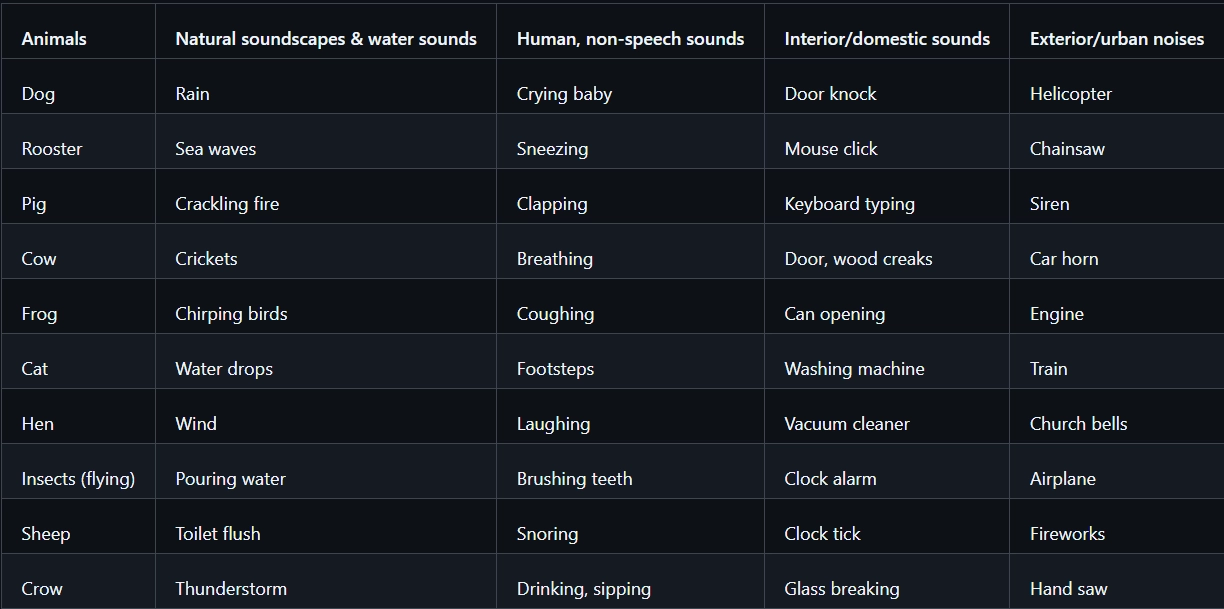
The class ID of the detection result is 39. Checking the ESC-50 ID mapping table, ID 39 corresponds to “Clock Tick”, which matches the sound contained in the audio file.