SAM3 Model Environment Setup and Image + Video Segmentation Testing
- 09 Feb, 2026
This article provides a detailed record of setting up the environment for SAM3, the open-source image segmentation model released by Meta in November 2025, and walks through the process of performing image and video segmentation based on its official samples.
SAM3 (Segment Anything Model 3) is the latest version of the image segmentation model released by Meta. It continues the design philosophy of the previous generation SAM model, further enhancing performance and adaptability in image segmentation tasks.
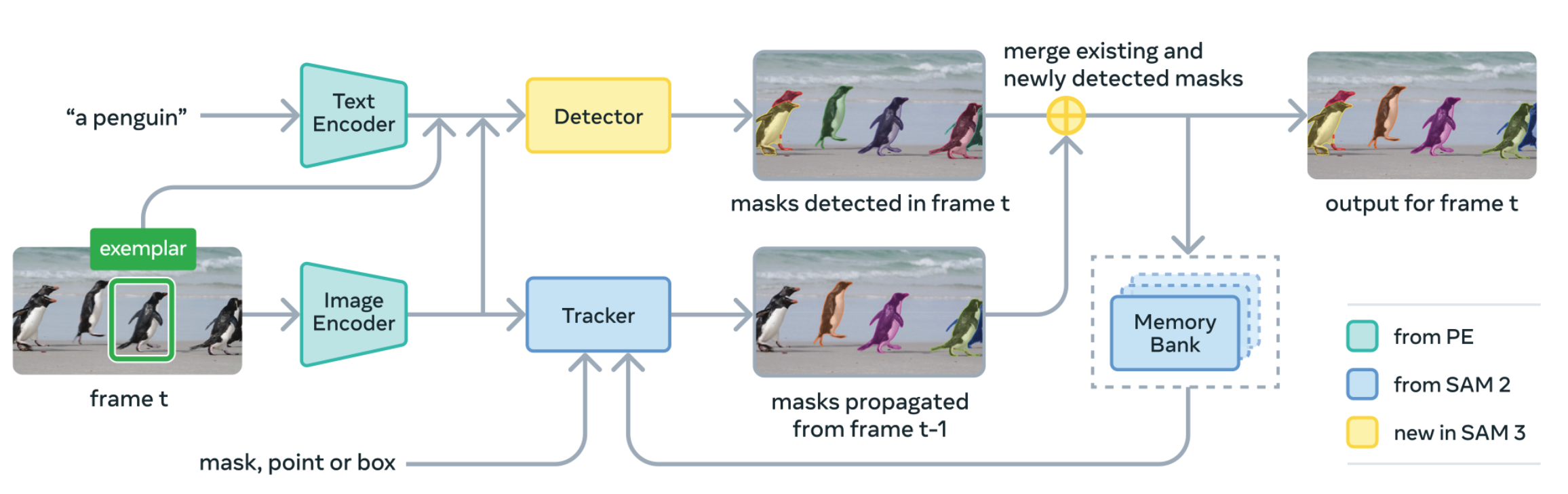
Downloading Source Code and Weight Files
First, download the source code from the SAM3 GitHub repository: facebookresearch/sam3: The repository provides code for running inference and finetuning with the Meta Segment Anything Model 3 (SAM 3), links for downloading the trained model checkpoints, and example notebooks that show how to use the model..
In addition to downloading the source code from GitHub, you also need to download the model weight file sam3.pt (3.2GB) in advance. According to the README in the GitHub repository, the standard procedure requires submitting an application on Hugging Face (facebook/sam3 · Hugging Face). Once approved, you can download it directly from Hugging Face. However, this application is often mysteriously rejected without any given reason—it remains unclear why:
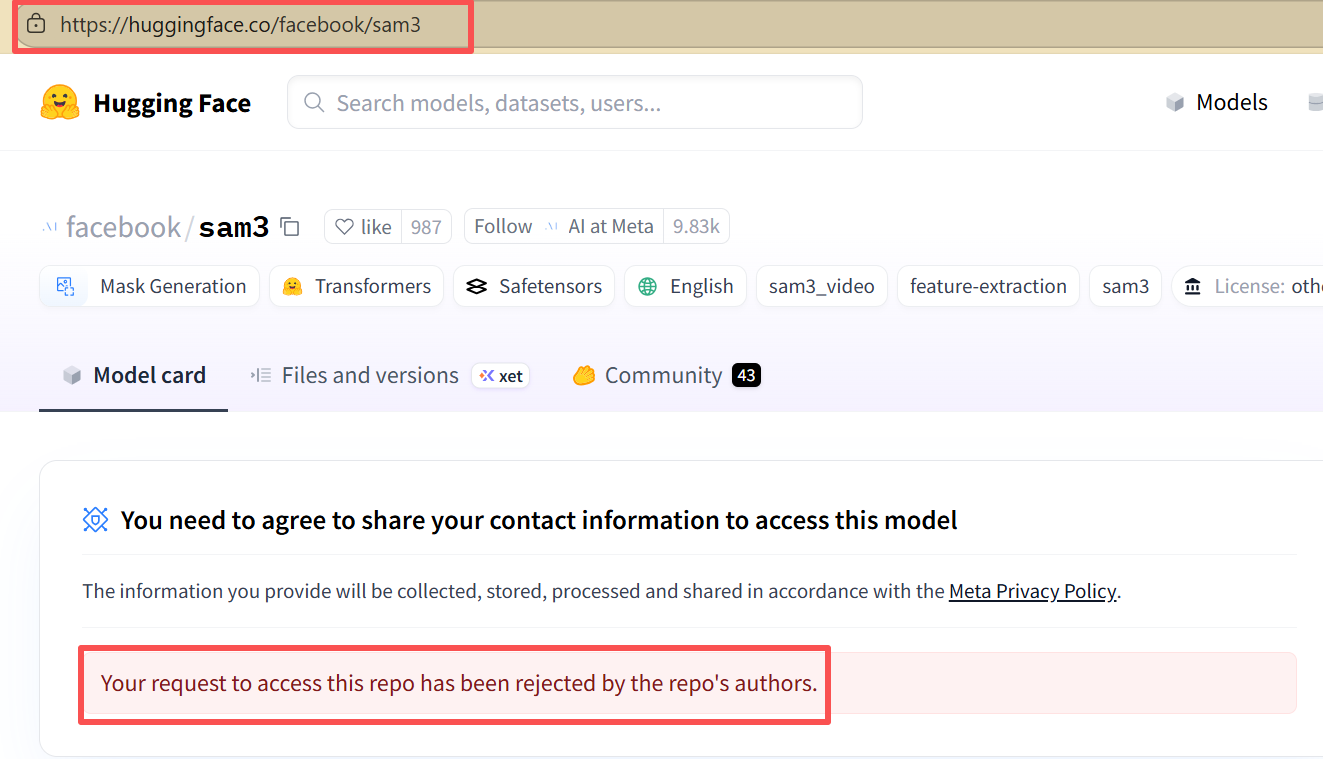
Therefore, alternative methods can be used to download the weight file beforehand. A Zhihu creator provided an alternative download path for the weights: AlienDao Models, which offers extremely fast download speeds. You can download the weight file from this site first and place it in the root directory of the sam3 project.
Environment Setup
The development environment requirements are as follows:
- Python 3.12 or higher
- PyTorch 2.7 or higher
- NVIDIA GPU with CUDA 12.6 or higher
Create and activate the sam3 conda environment according to the project’s README file:
conda create -n sam3 python=3.12
conda deactivate
conda activate sam3
Next, install PyTorch, navigate to the SAM3 source code directory, and install the sam3 package. (My GPU is an RTX 5070 Ti with CUDA 12.9, so I ran the installation directly using the official PyTorch command below):
pip3 install torch torchvision --index-url https://download.pytorch.org/whl/cu128
cd sam3
pip install -e .
Please note: When running the static image and video test routines in the sam3 environment, you may encounter a No module named 'triton' error. In this case, you need to install an additional triton-windows package:
pip install triton triton-windowsImage / Video Segmentation Testing
Static Image Testing
The following code detects the bear target contained in a static image and plots the results.
import torch
from PIL import Image

from sam3.model_builder import build_sam3_image_model
from sam3.model.sam3_image_processor import Sam3Processor
from sam3.visualization_utils import plot_results

# Load the model
model = build_sam3_image_model(checkpoint_path="sam3.pt")
processor = Sam3Processor(model)

# Load an image
# image = Image.open("assets/images/test_image.jpg")
image = Image.open("D:/test/Bear/2025-11-20_11-50-44.png").convert("RGB")
inference_state = processor.set_image(image)

# Prompt the model with text
#output = processor.set_text_prompt(state=inference_state, prompt="child")
output = processor.set_text_prompt(state=inference_state, prompt="bear")

# Get the masks, bounding boxes, and scores
masks, boxes, scores = output["masks"], output["boxes"], output["scores"]
print(masks.shape, boxes.shape, scores.shape)
print(boxes[0])

plot_results(image, inference_state)
Note: You need to add a
plt.show()statement at the end of the officialplot_resultsfunction in the source code to actually display the image.
The image segmentation result produced by the above code is shown below:

In the code above, the processor executes detection and segmentation operations, returning three variables: masks, boxes, and scores:
- masks: Single-channel mask images with the same resolution as the original image. In these mask images, the pixel locations of each detected target are marked with different colors. There is a separate mask image for each segmented target.
- boxes: Bounding boxes for the specified target categories. For each target detected in the image, there is a corresponding box containing the coordinates of the top-left and bottom-right corners.
- scores: Confidence scores for each detected target.
The figure below shows the output information when using "bear" for detection in the bear image. You can combine this information to understand the meaning of the three output variables:
torch.Size([1, 1, 785, 648]) torch.Size([1, 4]) torch.Size([1])
tensor([153.1315, 336.1199, 468.9052, 710.1578], device='cuda:0')
found 1 object(s)
Video Testing
Further testing of SAM3’s video segmentation capabilities was conducted based on the tutorial video by Bilibili UP host “Coding Tea Room” (Reference 3). This test requires relatively high GPU specs. On my laptop with 32GB RAM and an RTX 5070 Ti GPU, processing a 22-second video took a full 6 minutes and 40 seconds. Therefore, it is best to choose relatively short videos for this type of testing; otherwise, waiting during each debugging iteration can be quite tedious.
The following script uses SAM3 to perform target detection and segmentation on every frame of a video file based on text prompts. The overall workflow follows the logic of the Coding Tea Room code. However, after completing the image segmentation for each frame, the process of overlaying the resulting mask frame onto the original image frame to generate and save the segmented image was simplified. By using render_masklet_frame to merge the mask with the original frame, the code becomes much easier to understand.
In essence, after processing through propogate_video_frames, the code obtains a list of target segmentation masks called sam3_output_frames, which contains all image frames where the specified target was detected. The video_file_frames structure stores the list of all image frames read from the video file. Then, in a loop, the segmentation mask frame is merged with the corresponding original frame to produce a blended frame. For frames where no target is detected, the original frame is used as-is. Finally, all blended frames are saved into an MP4 file.
The key code snippet is as follows:
sam3_output_frames = propogate_video_frames(video_predictor, session_id)

    blend_result_imgs = []
    for frame_idx in range(0, len(video_file_frames)):
        if frame_idx in sam3_output_frames:
            orginal_frame = video_file_frames[frame_idx]
            sam_output_frame = sam3_output_frames[frame_idx]

            try:
                # Use render_masklet_frame to generate the masked image
                blend_frame = render_masklet_frame(orginal_frame, sam_output_frame, frame_idx=frame_idx)
                blend_result_imgs.append(blend_frame)
            except Exception as e:
                print(f"Error processing frame {frame_idx}: {e}")
                # Fall back to the original frame on error
                blend_result_imgs.append(orginal_frame)
        else:
            # If there is no output for this frame, use the original frame
            blend_result_imgs.append(video_file_frames[frame_idx])

    print(f"Total generated frames: {len(blend_result_imgs)}")

    # Save the video using the wrapped function
    save_to_mp4(blend_result_imgs, 'output.mp4', fps=30)
References
- facebookresearch/sam3: The repository provides code for running inference and finetuning with the Meta Segment Anything Model 3 (SAM 3), links for downloading the trained model checkpoints, and example notebooks that show how to use the model.
- The SAM3 Model is Here: Hands-on Guide to Running SAM3 Code, Initial Exploration of SAM3! _Bilibili_bilibili
- SAM3 Source Code Practical Part 2: Hands-on Video Segmentation Processing. _Bilibili_bilibili
- Serialized Post 1: Meta SAM3 Development Practice — Minimalist Image Segmentation - Zhihu