An Interpretation of YOLO Model Training Output Files
- 07 Nov, 2025
This article interprets the files generated during the YOLO model training process on a custom dataset, helping to build a deeper understanding of the YOLO model training workflow.
As summarized in A Comprehensive Guide to Custom Training, Testing, and Model Export for the YOLOv5 Model, after training a YOLOv5 model on a custom dataset using the train.py script, a variety of training result files will be generated under the runs/train/exp directory in the YOLOv5 source code folder (exp is the default directory name; if you train multiple times, it may generate exp2, exp3, etc.). This article provides a detailed explanation of the contents of these files and subdirectories from a functional classification perspective.
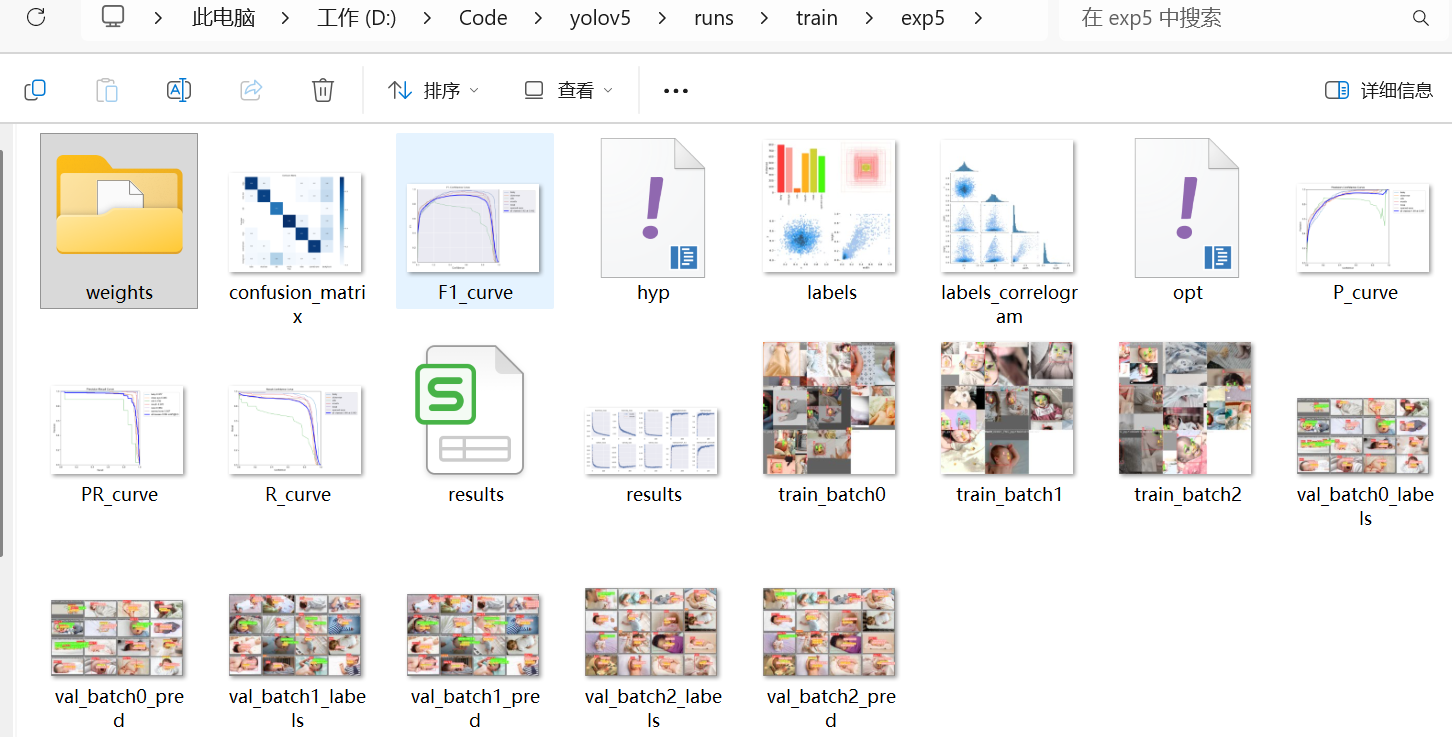
weights/ Model Weight File Directory
The weights subdirectory under the exp directory is the most important output, as it stores the model weight files generated during the training session. It contains two files: last.pt and best.pt.
The best.pt file is the optimal model weight file generated during the training process. The “optimal” here refers to the model weights that perform the best on the validation dataset. During the training process with train.py, the model’s performance is evaluated on the validation set using the mAP@0.5 metric at the end of each epoch. If the performance of the current epoch surpasses the previous best record, the best.pt file is updated using the weight parameters of the current epoch. best.pt is also the most commonly used model file in practice because it represents the peak performance achieved during training. In actual production workflows, this model file is typically exported to formats such as ONNX or TensorRT for deployment in production environments.
The last.pt file is the model weight file from the final epoch of model training. Regardless of the validation performance on the validation set, the last.pt file is updated with the current model weight information at the end of every training epoch to ensure it always stores the latest training state. The purpose of last.pt is that if training is interrupted unexpectedly or if we wish to resume training based on the currently trained model, we can continue the training process from the current state using the last.pt file. In addition, last.pt can be used to analyze convergence during the training process and observe the final training state.
Training Result Metrics
The training result metrics after completing YOLOv5 model training correspond to the results.png and results.csv files, which represent the key metric data and charts for each epoch during the training process, respectively.
results.png
Below is an example of results.png:
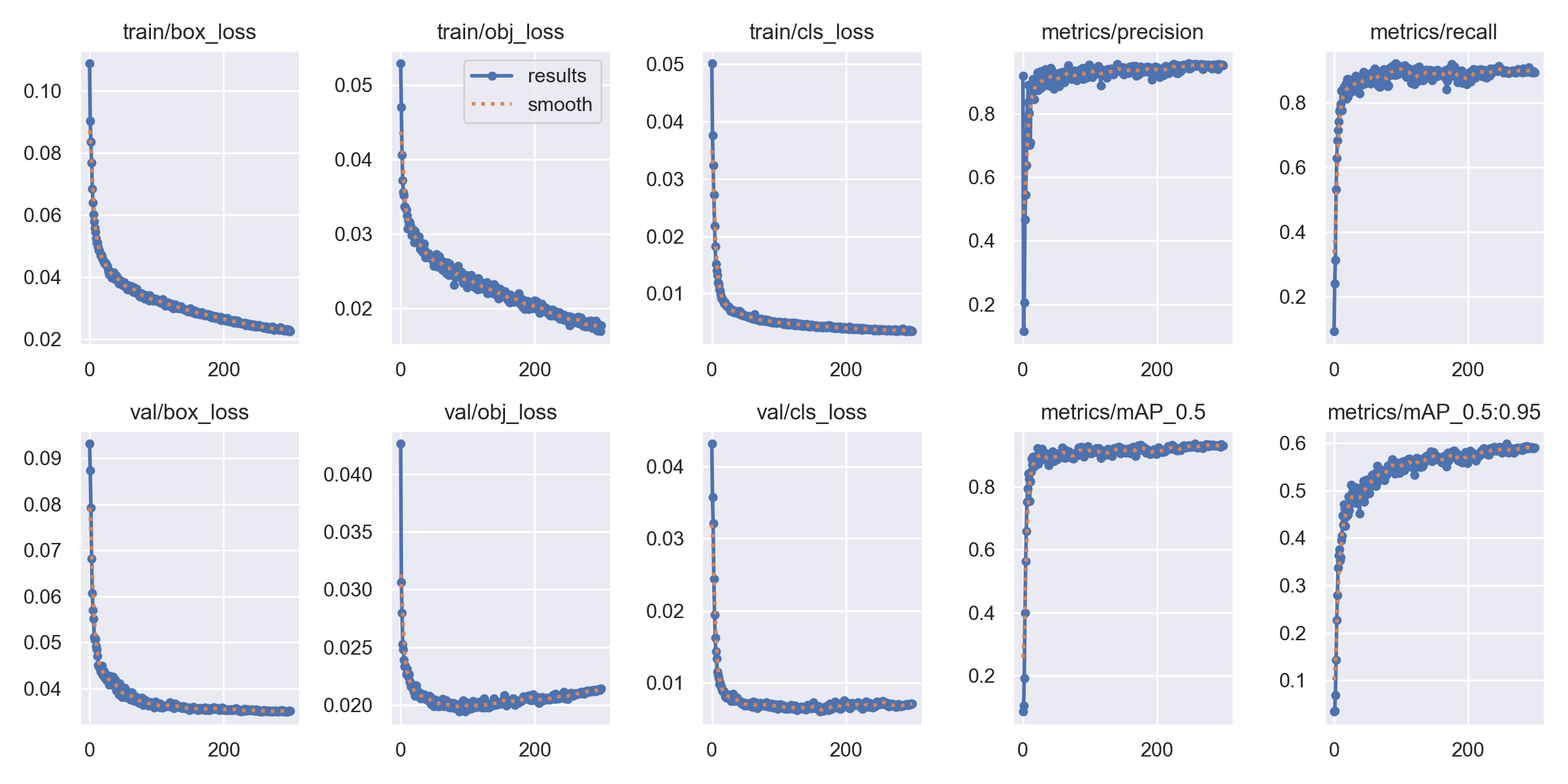
As can be seen, results.png displays multiple metrics of the model:
- Training set / Dataset losses (
box_loss,obj_loss,cls_loss): Corresponding respectively to the bounding box coordinate loss, objectness confidence loss, and classification loss on the training and validation sets.- Ideally, all loss curves steadily decrease and eventually level off at a low level. It is normal for training loss to be slightly lower than validation loss.
- Overfitting: If the training loss continues to decrease, but the validation loss starts to increase after a certain point, it indicates that the model is overfitting the training data (the confidence loss in the above image demonstrates this case). In this scenario, you should try increasing the amount of training data, lowering model complexity, or reducing the number of training epochs.
- Underfitting: If both training and validation losses remain at a high level and stop decreasing (typically entering a plateau while still high), it suggests the model may be underfitting. This requires a more complex model, longer training time, or appropriate hyperparameter tuning.
- Precision metrics (
precision,recall,mAP@0.5,mAP@0.5:0.95):- Precision: Indicates what proportion of samples predicted as positive by the model are actually positive. Higher is better.
- Recall: Indicates what proportion of all actual positive samples were successfully predicted by the model. Higher is better.
mAP@0.5: The Mean Average Precision calculated at an IoU threshold of 0.5. This is the most commonly used metric; higher is better.mAP@0.5:0.95: The Mean Average Precision across IoU thresholds ranging from 0.5 to 0.95 (with a step size of 0.05). This is a more stringent metric that better reflects the accuracy of model localization.
Among the accuracy metrics mentioned above, mAP@0.5 primarily measures classification capability and basic localization capability. As long as the predicted bounding boxes are roughly in the correct position, a high score can be achieved on this metric. In practical effects, a model might have a high mAP@0.5, but its bounding boxes could be “floaty” and insufficiently precise. By contrast, mAP@0.5:0.95 is much stricter, forcing the model to possess both precise classification and localization capabilities simultaneously. It demands that the model not only correctly identify objects but also accurately outline their boundaries. If a model has a high mAP@0.5:0.95, it means its predicted bounding boxes are exceptionally precise.
The calculation logic for the
mAP@0.5:0.95metric is as follows: First, calculate the mAP across 10 different IoU thresholds ranging from 0.5 to 0.95 with a step size of 0.05 (i.e., 0.5, 0.55, 0.6, …, 0.95). Then, calculate the mAP metric corresponding to each IoU threshold. Finally, average these 10 mAP values to obtain the finalmAP@0.5:0.95metric.
results.csv
As shown in the image below, the contents of the results.csv file are basically identical to the charts in results.png, representing a tabular log of loss values and accuracy metrics for each epoch. In addition to the aforementioned data, results.csv also logs three learning rate parameters: x/lr0, x/lr1, and x/lr2.

The three parameters x/lr0, x/lr1, and x/lr2 correspond respectively to the learning rates used during training for the three modules of the YOLOv5 model: the backbone, neck, and detection head (for details, please refer to the article An Interpretation of the YOLOv5 Model Network Architecture). During YOLOv5 model training, the learning rates for these three parts are independent, and none of them remain static. To help the model converge better, a Learning Rate Scheduler is used during training to dynamically adjust the learning rates. The learning rate values for these three parameter groups adjust and change at each training step or epoch according to specific scheduling strategies (such as cosine annealing), and these changes are recorded in the results.csv file.
Confusion Matrix (confusion_matrix)
Among the YOLOv5 model training result files, there is a confusion_matrix.png file used to visually display the trained model’s predictions for each category on the validation dataset, making it primarily useful for evaluating the model’s classification performance.
Below is a typical confusion_matrix.png file containing 6 categories:
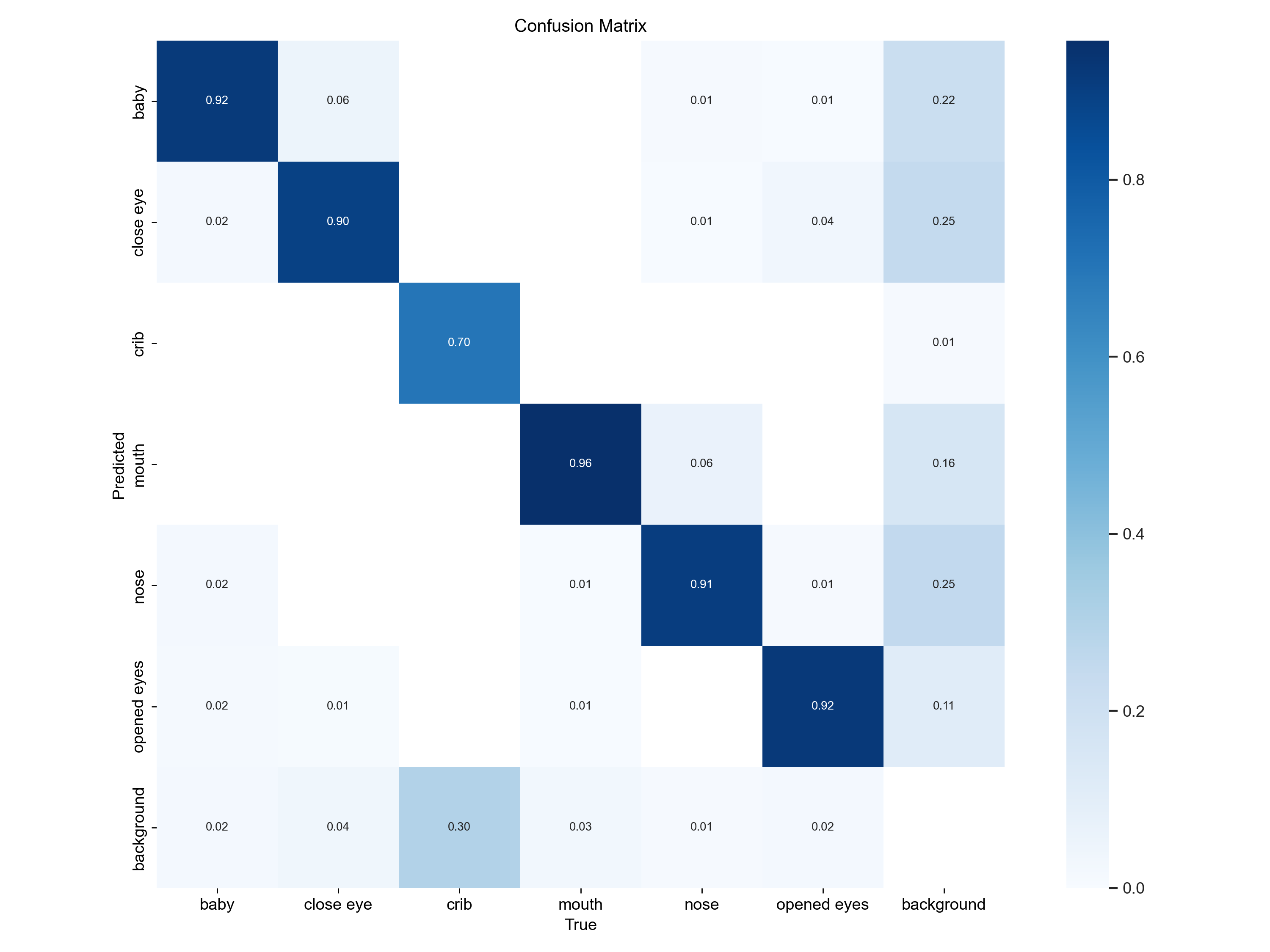
Interpretation of the above file:
- Values on the diagonal represent the proportion of samples correctly predicted by the model. Higher values are better (indicated by darker block colors), meaning the category can be correctly recognized.
- Values off the diagonal represent the proportion of mispredictions—i.e., the proportion of samples of true class A incorrectly predicted as class B by the model. Lower values are better (indicated by lighter block colors), representing fewer category confusions.
As seen from the image above, apart from the crib category which is relatively prone to misclassification, the confusion between other categories is minimal. For categories with high confusion, you need to check which other categories they are easily confused with (in the figure above, crib is mainly confused with background). In this case, you should provide more training images that help distinguish these different categories, or purposely apply data augmentation to simulate scenarios where the two categories are easily confused and retrain the model.
F1 / P / R / PR Metric Curves
After each training session of the YOLOv5 model, four metric chart files—P_curve, R_curve, PR_curve, and F1_curve—are generated in the exp directory. Detailed explanations of these four metrics can be found in the article Detailed Explanation of P, R, PR, and F1 Metrics for Computer Vision Object Detection Models and will not be repeated here.
train_batch and val_batch Image Files
During YOLOv5 training, a total of 9 images are generated: three training sample images (train_batch) based on the training dataset, three ground truth label images (val_batch_labels) based on the validation dataset, and three validation prediction result images (val_batch_pred). As shown below:
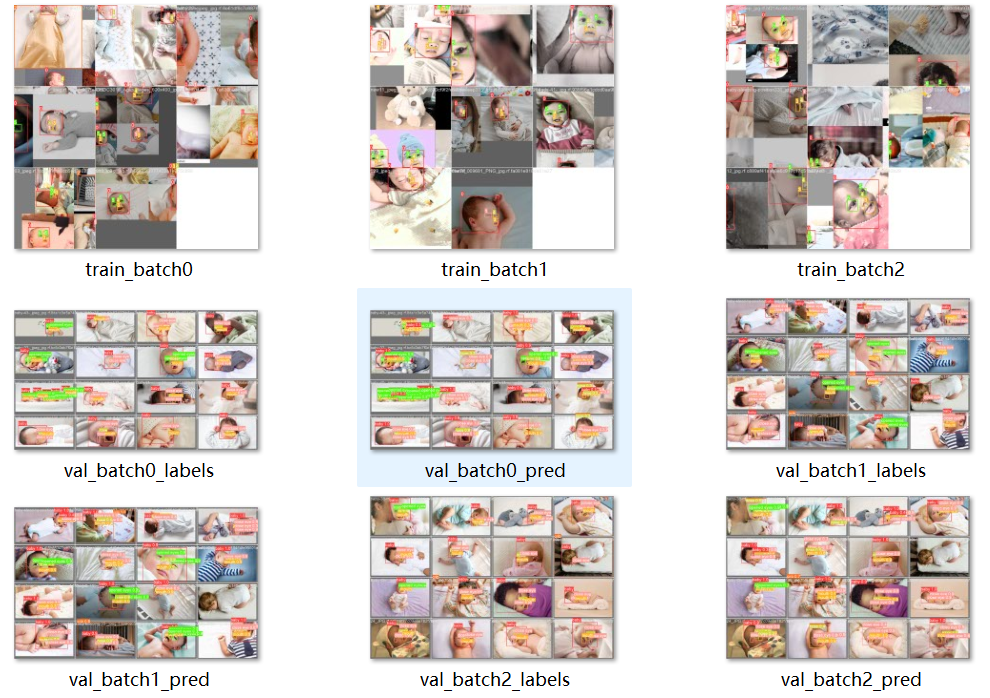
The three train_batch images display sample images from different batches in the training set. During training, YOLOv5 automatically applies data augmentation operations to the images fed into the model. These operations include scaling, rotation, color adjustment, and mosaic stitching. You can view the effects of data augmentation through these three images, along with the ground truth bounding boxes and category labels on each image, which help understand the diversity of the training data. As seen from the train_batch images above, the YOLOv5 model adopts Mosaic data augmentation technology during training. Its core idea is to combine four different training images into a new, larger training image via random scaling, cropping, and stitching, and then scale it to the 640x640 resolution required by the model before feeding it into the network for training.
The three val_batch_labels images show the effects of ground truth labels from different batches in the validation image set, serving as the answer key for testing the model against the validation set. These validation images are directly annotated with the true categories of existing target objects and their precise locations.
The content displayed in the three val_batch_pred images corresponds to the val_batch_labels images, illustrating the target categories and positions inferred by the model during validation testing on the exact same batch of validation images. By comparing the ground truth label images (val_batch_labels) with the prediction result images (val_batch_pred), you can identify where the model tends to make mistakes and analyze error patterns such as false positives (mis-detections) and false negatives (missed detections).